The ntlworld email service is one of the legacy email systems that continues to be used by thousands of users in the United Kingdom. Originally created under the NTL internet service provider, it later became part of Virgin Media after multiple mergers in the broadband and telecommunications sector. Despite changes in branding and technology, ntlworld email accounts are still active and accessible today through Virgin Media’s email platform. This makes it a unique case of a long-standing email domain that has survived multiple corporate transitions while still serving everyday communication needs.
Many users continue to rely on ntlworld email because it has been their primary email address for years. It is often linked to personal accounts, banking services, subscriptions, and professional communication, making it difficult for users to abandon. As a result, understanding how to access, manage, and troubleshoot ntlworld email has become increasingly important. In 2026, users still search for login instructions, configuration settings, and solutions to common problems related to this email service.
This guide provides a complete overview of ntlworld email, including its history, login process, technical settings, common issues, and security practices. Whether you are a long-time user or someone trying to regain access to an old account, this article will help you navigate the system effectively and understand how it works within the Virgin Media ecosystem.
History and Background of ntlworld Email
The ntlworld email service originated from NTL (National Transcommunications Limited), a major telecommunications company in the UK that provided internet and cable services. During its peak, NTL offered broadband packages that included free email addresses under the ntlworld.com domain. These email accounts quickly became popular among users who adopted them as their primary communication tool during the early days of widespread internet adoption.
Later, NTL merged with Telewest and eventually became part of Virgin Media, one of the UK’s largest broadband and media companies. As a result of this merger, ntlworld email accounts were retained and integrated into Virgin Media’s infrastructure rather than being discontinued. This decision allowed millions of users to continue using their existing email addresses without disruption, even as the company evolved under a new brand identity.
Over time, the email system itself has undergone technical upgrades and security improvements, but the domain ntlworld.com has remained active. Today, it functions as part of Virgin Media’s email ecosystem, meaning users must access it through Virgin Media login portals and systems. This historical transition explains why many users still see references to ntlworld despite the original company no longer existing under that name.
How to Access ntlworld Email
Accessing ntlworld email in 2026 is primarily done through the Virgin Media webmail portal. Users are required to enter their full email address, including the @ntlworld.com domain, along with their password. Once logged in successfully, they are redirected to their inbox where they can read, send, and manage emails. This browser-based access method is the most common and does not require additional software installation.
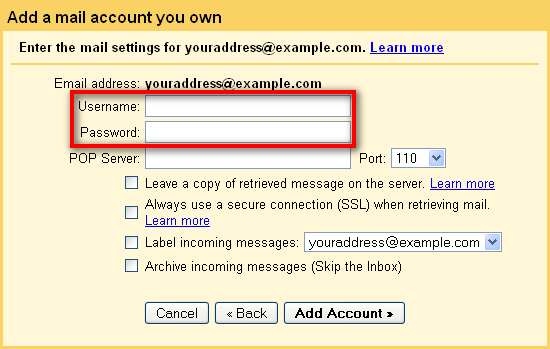
Users can also access ntlworld email through mobile devices and desktop email applications such as Outlook, Apple Mail, or Thunderbird. To do this, they must configure their email client using the correct IMAP or SMTP settings provided by Virgin Media. This allows emails to sync across multiple devices, ensuring messages remain consistent whether accessed on a phone, tablet, or computer.
In addition, ntlworld email accounts are often linked to a broader Virgin Media account, which means users may need to sign in through Virgin Media’s authentication system. This centralized login system improves security and simplifies account management, especially for users with multiple email addresses or bundled services under one account.
ntlworld Email Settings Configuration
To use ntlworld email on third-party applications, proper configuration is essential. The IMAP settings are commonly used for incoming emails, allowing messages to sync across all devices. Typically, users must enter the IMAP server details provided by Virgin Media, along with secure port numbers and SSL encryption settings to ensure safe communication between devices and servers.
For outgoing emails, SMTP settings are required. These settings control how emails are sent from the user’s device to recipients. Authentication is usually required, meaning users must enter their full email address and password when configuring SMTP. Without correct SMTP settings, users may experience issues such as emails not being sent or being marked as failed delivery attempts.
Some users may also use POP3 settings, although this is less common today. POP3 downloads emails directly to a single device and removes them from the server, making it less suitable for users who access email across multiple devices. IMAP is generally recommended for modern usage due to its flexibility and synchronization capabilities.
Common ntlworld Email Login Problems
One of the most common issues users face is incorrect login credentials. Many users forget their password or mistakenly enter an outdated one, resulting in login failures. Another frequent issue is account recognition errors, where the system does not recognize the email address due to incorrect entry or inactive accounts.
Browser-related problems can also affect login attempts. Outdated browsers, stored cache, or cookies may interfere with the login page, preventing successful access. In some cases, users may experience server downtime or maintenance periods, during which email services become temporarily unavailable.
Security features such as two-factor authentication or account protection measures can also cause login difficulties if not properly configured. These systems are designed to protect user accounts but may require additional verification steps during login attempts.
How to Fix ntlworld Email Issues
Fixing ntlworld email issues usually begins with resetting the password through the Virgin Media recovery system. Users can request a password reset link or answer security questions to regain access. This is often the fastest solution for login-related problems.
Clearing browser cache and cookies can also resolve access issues, especially when login pages fail to load correctly. Switching to a different browser or device may help identify whether the problem is device-specific.
If issues persist, checking Virgin Media’s service status page can confirm whether there is a system outage affecting email services. In cases where technical problems continue, contacting customer support is recommended for further assistance and account recovery.
Security and Account Protection
Security is a critical aspect of managing ntlworld email accounts. Users are strongly advised to create strong, unique passwords that are difficult to guess. Avoiding common words or reused passwords significantly reduces the risk of unauthorized access.
Phishing emails are another major threat, where attackers attempt to trick users into revealing login credentials. Users should always verify the sender before clicking links or downloading attachments. Virgin Media will never ask for sensitive login information via email.
Enabling additional security features, such as account recovery options and verification tools, further enhances protection. Regularly updating recovery email addresses and phone numbers ensures that users can regain access if needed.
Managing ntlworld Email Effectively
Effective email management involves organizing messages into folders, filtering spam, and archiving old conversations. This helps maintain a clean inbox and improves productivity. Users can also set up email forwarding rules to automatically redirect important messages to other accounts.
Spam filters play an important role in reducing unwanted emails. Regularly marking spam messages helps improve filtering accuracy over time. Archiving old emails ensures that important information is stored safely without cluttering the main inbox.
Future of ntlworld Email Service
The future of ntlworld email remains closely tied to Virgin Media’s infrastructure. While the original NTL branding is no longer active, email accounts continue to be supported as part of legacy services. Users can expect ongoing maintenance and security updates to keep the system functional.
However, over time, there may be gradual changes encouraging users to migrate to newer email platforms. This is a common trend in the telecommunications industry as companies modernize their services. Despite this, ntlworld email continues to remain operational for existing users.
Conclusion
ntlworld email is a long-standing legacy email service that continues to serve users even after major corporate changes. Its integration into Virgin Media’s system has allowed it to remain functional, secure, and accessible in 2026. Understanding how to log in, configure settings, and troubleshoot common issues is essential for maintaining smooth communication. While the platform may evolve in the future, it remains an important part of many users’ digital lives today.
FAQs
What is ntlworld email?
It is a legacy email service originally provided by NTL and now managed by Virgin Media.
How do I log in to ntlworld email?
You can log in through the Virgin Media webmail portal using your email and password.
Why can’t I access my ntlworld email?
Common reasons include wrong password, browser issues, or service downtime.
Is ntlworld email still active?
Yes, it is still active as part of Virgin Media’s email system.
How do I fix login problems?
Reset your password, clear browser cache, or contact Virgin Media support.
You May Also Read: Beliktal